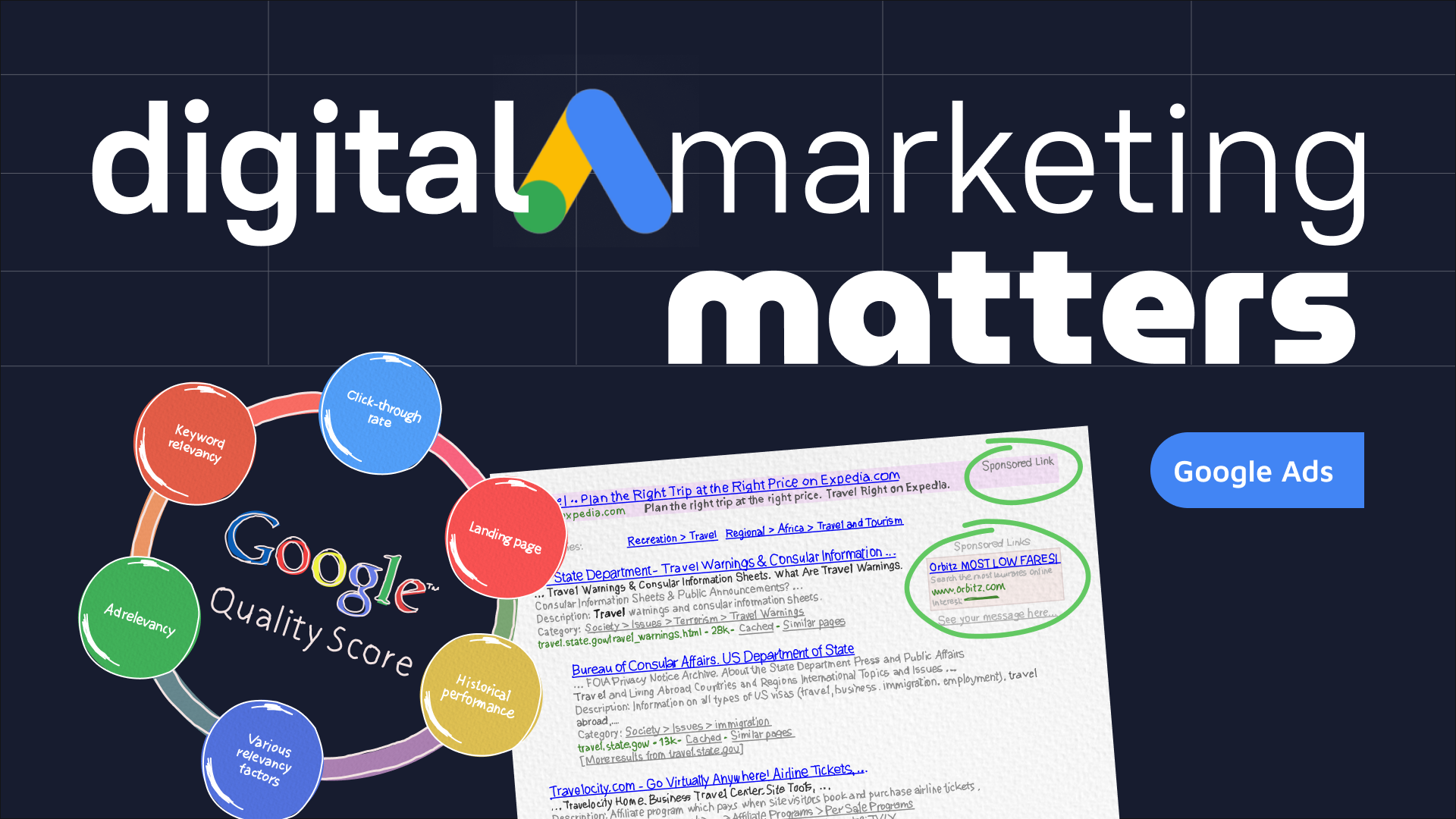
Google Ads in Digital Marketing: A Practical Guide
Google Ads is one of the best-known platforms in digital marketing. It enables businesses to promote their products and services across Google Search, YouTube, partner websites and other placements. When planned carefully, campaigns can help reach people who are actively looking for a solution, introduce a brand to new audiences and support measurable business growth.
What is Google Ads?
Google Ads is an online advertising platform where businesses can create and manage paid campaigns. Advertisers choose objectives, audiences, budgets and, in many cases, the search terms or types of content associated with their ads. They can then monitor campaign performance and adjust their approach over time.
Google Ads works across several campaign formats, including:
- Search campaigns: Text ads that may appear alongside Google search results when people search for relevant products or services.
- Display campaigns: Visual ads shown across websites and apps that form part of Google’s advertising network.
- Video campaigns: Ads that can appear on YouTube and other video placements.
- Shopping campaigns: Product-focused ads that can show details such as an image, price and retailer.
- Performance Max campaigns: Campaigns that use automation to distribute ads across multiple Google channels, based on the advertiser’s goals and supplied assets.
- Demand Gen campaigns: Visual campaigns designed to help businesses reach potential customers across selected Google-owned placements.
Campaign types and features can change, so businesses should check Google’s current guidance when planning an account.
Why Google Ads matters in digital marketing
Digital marketing brings together channels such as websites, social media, email, search engine optimisation and online advertising. Google Ads can complement these activities by placing a business in front of potential customers at relevant moments.
Reach people with clear intent
Search advertising can be especially useful when someone is actively looking for a particular product, service or answer. A well-matched advert and landing page can help connect that search with a relevant offer. This does not guarantee a sale, but it can make the journey from discovery to enquiry more direct.
Control budgets and bids
Advertisers can set budgets and select bidding approaches suited to their objectives. Depending on the campaign and strategy, they may focus on clicks, conversions, visibility or other measures. It is important to remember that a budget controls advertising spend, not the results a campaign will achieve.
Measure performance
Google Ads provides reporting on activity such as impressions, clicks and conversions. With suitable conversion tracking in place, businesses can assess whether campaigns are contributing to meaningful actions, such as purchases, bookings or enquiries. This data can inform decisions about keywords, creative, audiences and landing pages.
Adjust campaigns over time
Campaigns can be refined using performance data. Advertisers might pause poorly performing keywords, test new advert copy, adjust location targeting or improve the page visitors reach after clicking an advert. Regular optimisation helps ensure that a campaign remains relevant as business goals and customer behaviour change.
How to build an effective Google Ads strategy
Set a clear objective
Begin by deciding what the campaign should achieve. The objective might be online sales, qualified enquiries, website visits or awareness of a new service. A clear goal makes it easier to choose a campaign type and assess whether it is working.
Understand the audience
Consider who the business wants to reach, what they are looking for and where they are based. For search campaigns, keyword research can help reveal the terms people use. For other campaign types, audience signals, topics and placements may help guide delivery.
Choose relevant keywords and targeting
Keywords should reflect both the business’s offer and the likely intent behind a search. Broad or ambiguous terms can attract clicks from people who are unlikely to become customers. Negative keywords can help exclude searches that are irrelevant to the campaign.
Targeting should also be checked carefully. Businesses serving specific areas, for example, should review location settings to reduce the chance of spending on traffic outside their service area.
Write useful adverts
Effective adverts make the offer clear and set accurate expectations. They should reflect the language customers use, explain what makes the business relevant and include a suitable next step. Claims should be truthful, and the landing page should support the promise made in the advert.
Improve the landing page
An advert is only one part of the customer journey. The landing page should load reliably, work well on mobile devices and make it easy for visitors to take the intended action. Clear information, prominent contact details and a straightforward form can all contribute to a better experience.
Track meaningful conversions
Clicks alone do not show whether a campaign is delivering business value. Set up conversion tracking for actions that matter, and check that the data is recorded accurately. Where appropriate, use analytics and customer relationship management systems to understand what happens after an initial enquiry or visit.
Test and refine
Testing different advert messages, landing pages and campaign settings can reveal what resonates with an audience. Change one element at a time where possible, allow enough time for results to accumulate and avoid making decisions based on very limited data.
Common challenges to avoid
- Focusing only on clicks: A high click-through rate does not necessarily mean a campaign is profitable or generating qualified leads.
- Using vague targeting: Poorly chosen keywords, locations or audiences can result in irrelevant traffic and wasted spend.
- Sending visitors to an unsuitable page: A mismatch between an advert and its landing page can lead to a poor experience and fewer conversions.
- Ignoring conversion tracking: Without reliable measurement, it is difficult to distinguish useful activity from activity that merely looks impressive.
- Making changes too quickly: Frequent adjustments can make it harder to understand what is influencing performance.
- Relying entirely on automation: Automated bidding and campaign tools can be useful, but they still depend on suitable goals, accurate data and relevant creative.
Google Ads and the wider marketing mix
Google Ads is most effective when it supports a broader digital marketing plan. Search engine optimisation can help build long-term organic visibility, while paid search offers a way to compete for attention immediately. Email marketing, social media and useful website content can help maintain relationships with people who discover a brand through advertising.
Businesses should also consider their overall customer journey. An advert may introduce a product, but customers could need reviews, detailed information or follow-up communication before making a decision. Coordinating channels helps create a more consistent experience.
Privacy and responsible advertising
Advertisers should collect and use data responsibly, follow applicable privacy and advertising rules, and provide clear information about how personal data is handled. Tracking technologies and consent requirements can affect measurement, so businesses should make sure their website and advertising practices meet relevant legal and platform requirements.
Conclusion
Google Ads can be a valuable part of digital marketing because it offers businesses ways to reach relevant audiences, manage advertising activity and measure results. Success depends on more than setting a budget: campaigns need clear objectives, thoughtful targeting, compelling adverts, useful landing pages and dependable conversion tracking.
By reviewing performance regularly and making informed improvements, businesses can use Google Ads to support wider marketing goals and create a more effective online customer journey.
Top 7 Benefits of Google Ads in Digital Marketing: Enhancing Reach, Flexibility, and Performance
- Reaches people actively searching for relevant products or services.
- Offers flexible budgets to suit different business sizes.
- Provides detailed campaign performance data.
- Supports precise audience and location targeting.
- Delivers visibility across Google’s advertising channels.
- Allows campaigns to be adjusted quickly.
- Complements SEO and other digital marketing activity.
Challenges of Google Ads in Digital Marketing: Rising Costs, Targeting Issues, and Dependence on Optimisation
- Costs can rise quickly in competitive markets.
- Poor targeting may waste budget on irrelevant clicks.
- Results depend on accurate tracking and ongoing optimisation.
Reaches people actively searching for relevant products or services.
Google Ads can help businesses reach people who are actively searching for relevant products or services. By showing adverts in response to related searches, it puts an offer in front of potential customers at a moment when they may already be considering a purchase or looking for a solution. This can make advertising more relevant and increase the likelihood of attracting useful website visits or enquiries.
Offers flexible budgets to suit different business sizes.
Google Ads offers flexible budgeting options, making it accessible to businesses of different sizes. Whether you are a sole trader testing a small campaign or a larger company managing several advertising initiatives, you can set a budget that fits your plans and adjust it as your needs change. This flexibility helps businesses manage their advertising spend while exploring ways to reach potential customers online.
Provides detailed campaign performance data.
Google Ads provides detailed campaign performance data, helping businesses see how their adverts are performing across key measures such as impressions, clicks, conversions and cost. By reviewing this information, marketers can identify which keywords, adverts and audience segments are delivering results, then adjust their campaigns accordingly. This makes it easier to base decisions on evidence, manage advertising budgets more effectively and improve performance over time.
Supports precise audience and location targeting.
Google Ads supports precise audience and location targeting, helping businesses show their adverts to people who are more likely to be interested in their products or services. Advertisers can tailor campaigns by factors such as geographic area, language, search intent and audience characteristics. This is particularly useful for local businesses, which can focus their budget on customers in the places they serve, while online businesses can reach relevant audiences across wider regions.
Delivers visibility across Google’s advertising channels.
Google Ads can help businesses build visibility across a range of Google advertising channels, including Search, YouTube, Display and Shopping placements. This gives brands opportunities to reach potential customers while they are searching for information, watching videos or browsing websites and apps. By choosing suitable campaign types and targeting, businesses can present relevant messages at different stages of the customer journey.
Allows campaigns to be adjusted quickly.
One of the key advantages of Google Ads is that campaigns can be adjusted quickly in response to changing needs or performance. Businesses can update advert copy, targeting, keywords and budgets without waiting for a new print run or media booking. This flexibility makes it easier to test different approaches, respond to seasonal demand and shift spend towards campaigns that are delivering better results.
Complements SEO and other digital marketing activity.
Google Ads complements SEO and other digital marketing activity by helping businesses reach potential customers through paid placements while organic search visibility builds over time. It can bring visitors to key pages, promote time-sensitive offers and provide insights into the search terms and messages that attract attention. Used alongside content marketing, social media and email campaigns, Google Ads can support a more joined-up customer journey and help a business connect with audiences at different stages of the decision-making process.
Costs can rise quickly in competitive markets.
In competitive markets, Google Ads costs can rise quickly as businesses bid against one another for the same keywords and audiences. This can make each click more expensive and put pressure on marketing budgets, particularly for smaller businesses or campaigns with narrow profit margins. Without careful targeting, spending limits and regular performance reviews, costs may increase faster than the sales or enquiries generated.
Poor targeting may waste budget on irrelevant clicks.
Poor targeting can cause Google Ads budgets to be spent on clicks from people who are unlikely to become customers. If keywords, locations or audience settings are too broad, adverts may reach users whose needs do not match the business’s offer. These irrelevant visits can increase costs without generating meaningful enquiries or sales. Reviewing targeting regularly, using negative keywords and refining campaigns based on conversion data can help reduce wasted spend.
Results depend on accurate tracking and ongoing optimisation.
One drawback of Google Ads is that results depend on accurate tracking and regular optimisation. If conversions are not recorded correctly, businesses may struggle to tell which adverts or keywords are generating valuable leads or sales. Campaigns can also lose effectiveness if they are left unchanged as customer behaviour, competition and costs shift. This means Google Ads requires ongoing attention, reliable data and time to review and improve performance.